
More FPS. Steadier aim. One button.
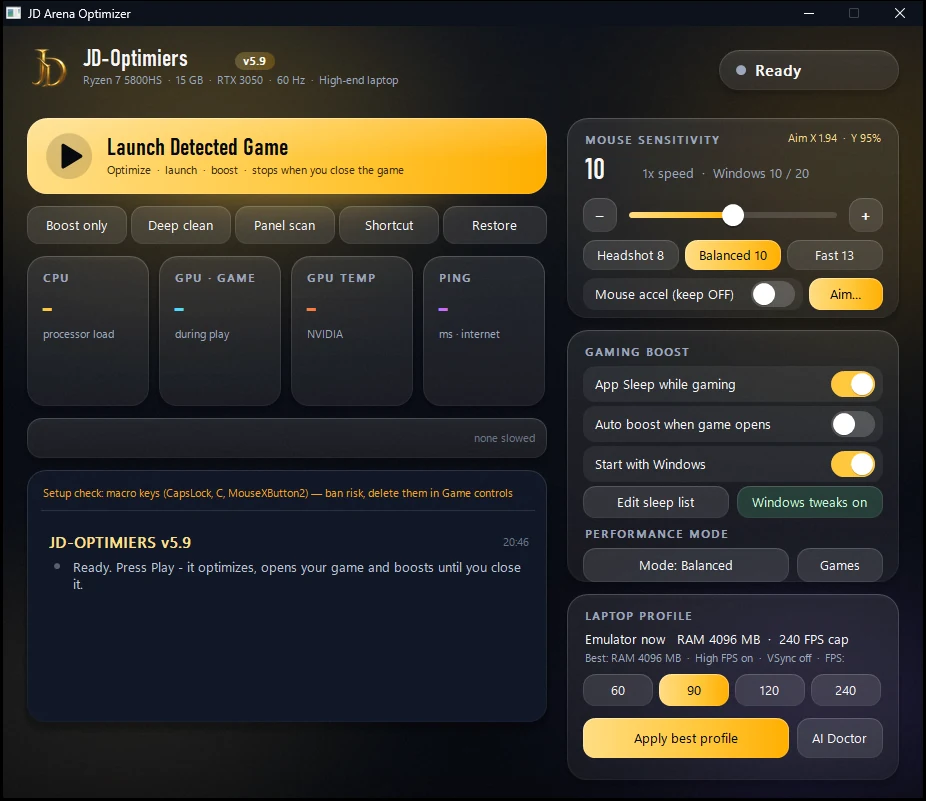
Press Play Free Fire: it tunes Windows and MSI App Player / BlueStacks, opens the game and keeps boosting until you close it. Works for any PC game, on strong and weak PCs.
JD Frag Engine uses your JD Esports Arena account — the same login as tournaments and your points wallet (email or Google).
Sign inBefore you download
- JD Frag Engine changes Windows settings (power plan, Game Mode, background apps, visual effects, GPU preference) and, when you choose, MSI App Player's own settings. Restore all puts everything back. It never touches game files or memory and adds no macros or aim assist.
- You use it at your own risk. We can't promise any FPS, or how Garena / BlueStacks treat third-party apps.
- Data it sends by itself after each session and when you close it: an anonymous FPS summary (FPS, 1% low, stutters, emulator settings, CPU / GPU / RAM model, a random ID made on your PC) and a private PC report to your own JD account (PC specs and score, emulator settings, how the session ran — only you and the JD admin can see it). Also needed to work: your PC's name, your plan and when the PC was last seen.
- It never sends files, passwords, game data, your screen, or mouse / aim numbers. You can switch both data sends off any time in the app's tray menu.
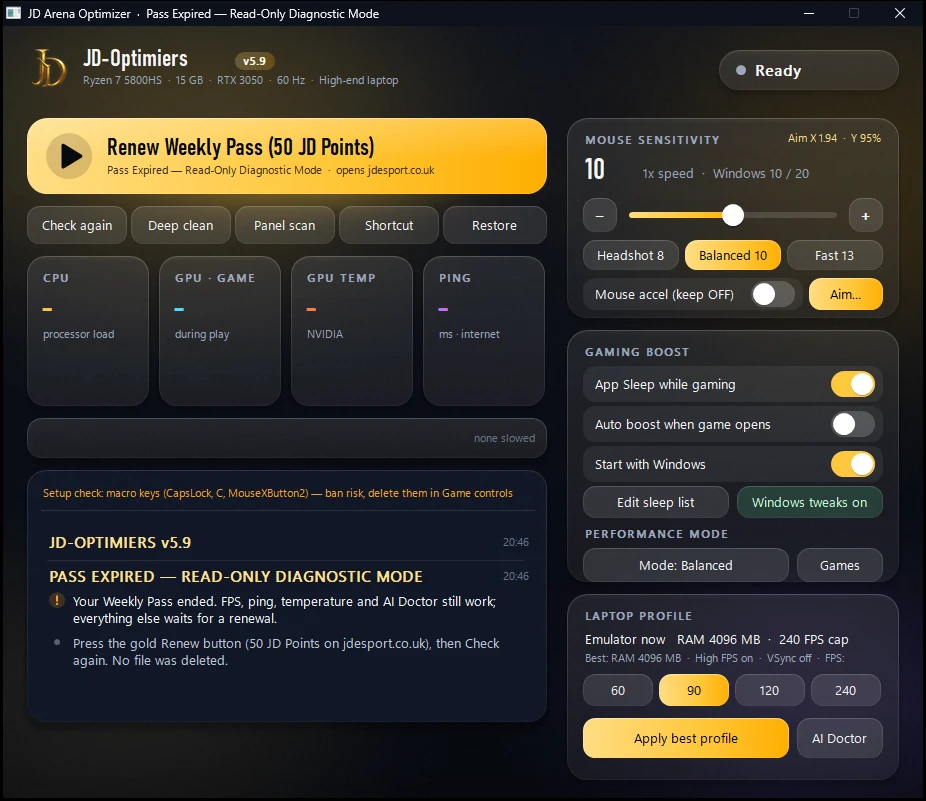
- You need an active Optimizer plan (no Weekly Pass needed). If it runs out, the app warns you at start; if you don't renew within 3 days, it safely puts your PC's stock settings back (Restore all) and switches to Free Read-Only Diagnostic Mode: FPS, ping, temperatures and AI Doctor stay visible, nothing is deleted, and one click on Renew brings everything back.
- Updates are required and install themselves at start. Plans are paid in JD points and aren't refunded once started.
Pick your plan.
Paid with JD points (1 point = Rs 1). Plans last 30 days and never renew by themselves.
Optimizer Pro
- One-tap boost for Free Fire and any PC game
- Performance modes: Balanced, Extreme, Potato
- High FPS (up to 120), VSync off, GPU scheduling
- Aim Studio, mouse presets, live FPS and session reports
- Deep clean · 2 PCs
Optimizer Max Best value
- Everything in Pro, plus 240 FPS
- Tournament panel scan with server-signed reports
- Max engine: DPI changer, 360° aim test, engine cache
- 30-day squad effect, 24 h early entry and a Verified ✔ tag
- 2 PCs
If your plan or pass runs out, the app stops at start and warns you. Renew within 3 days, or it safely restores your PC's stock settings and switches to Free Read-Only Diagnostic Mode — FPS, ping, temperatures and AI Doctor keep working, no files are deleted, and renewing is one click.
Buying again adds 30 days. Upgrading Pro → Max turns the Pro days you have left into Max days (×49/99) and adds 30. Points are not refunded — see the JD Frag Engine terms. Load points on your wallet with eSewa.
| Feature | Pro · 49 | Max · 99 |
|---|---|---|
| One-tap boost — Free Fire & any PC game | ✓ | ✓ |
| Performance modes: Balanced · Extreme · Potato | ✓ | ✓ |
| Emulator FPS | up to 120* | up to 240 |
| Aim Studio, mouse presets, live FPS, Deep clean | ✓ | ✓ |
| Tournament panel scan + signed report | — | ✓ |
| Max engine — DPI changer + 360° aim test | — | ✓ |
| Squad effect, early entry, Verified ✔ | — | ✓ |
| PCs | 2 | 2 |
* Pro plans bought before 20 Oct 2026 keep 240 FPS until they renew.
Ready in five minutes.
Install once. After that it's one button before every match.
Download and link your PC
Download the zip above, extract it and open JD-Optimiers.exe. If SmartScreen says “Windows protected your PC”, click More info → Run anyway (the app is new, not code-signed). Accept the Administrator prompt. The app shows a code and opens this site — check it matches and press Link this PC.
ABCD-2345Same code on this site → Link this PC
Apply the best profile
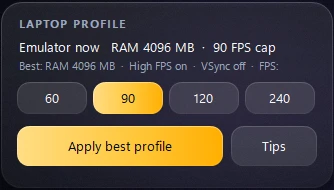
Close MSI App Player, pick your FPS and press Apply best profile. JD reads your hardware and sets the emulator's RAM, high-FPS mode and VSync off — with a backup, so Restore puts everything back.
Press Play Free Fire
One button: it optimizes Windows, starts MSI App Player straight into Free Fire and boosts until you close the game. Background apps are slowed down (not frozen) while you play, so Discord and music keep working.

Tune your aim in Aim Studio
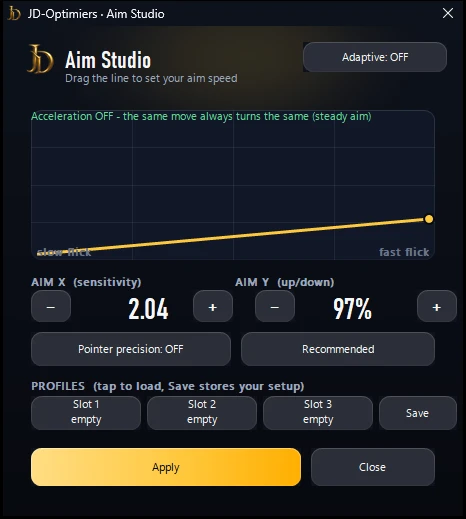
Press Aim… to set your sensitivity (X) and up/down (Y), see your acceleration curve and save up to three setups as profiles. Recommended sets proven values in one tap.
Everything a match needs.
Tournament panel scan
Checks the PC for known Free Fire cheat panels and overlays — read-only, it never deletes anything. The report is signed by the JD server, so organizers can prove it wasn't edited.

Any PC game
Free Fire is detected automatically, so is any full-screen game — Steam, Epic, Riot. Same boost for all of them.
Max engine
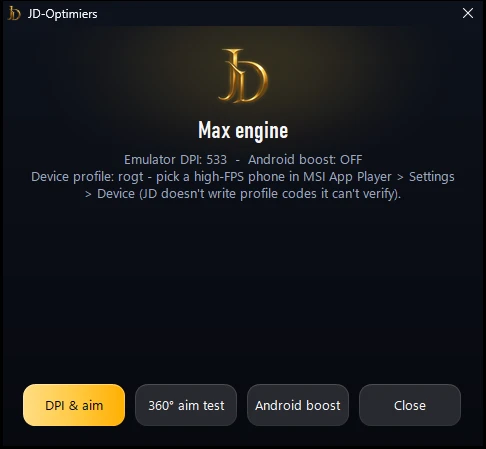
Change the emulator DPI in one tap, then run the 360° aim test (F8, turn once, F8): it measures your real turn distance and tells you the exact Aim X that keeps your aim the same.
Performance modes
Balanced for every day, Extreme for a whole-Windows boost while you play (services paused, CPU turbo, USB power saving off — all put back after), Potato for weak PCs.
Deep clean
Clears temp and shader junk, frees standby RAM and turns off telemetry tasks — with a System Restore point first.
Live stats
CPU, GPU, temperature, ping and FPS while you play, plus a short report after every session.
Steady aim
Mouse presets and pointer acceleration off, for the same aim feel every match.
Linked PCs.
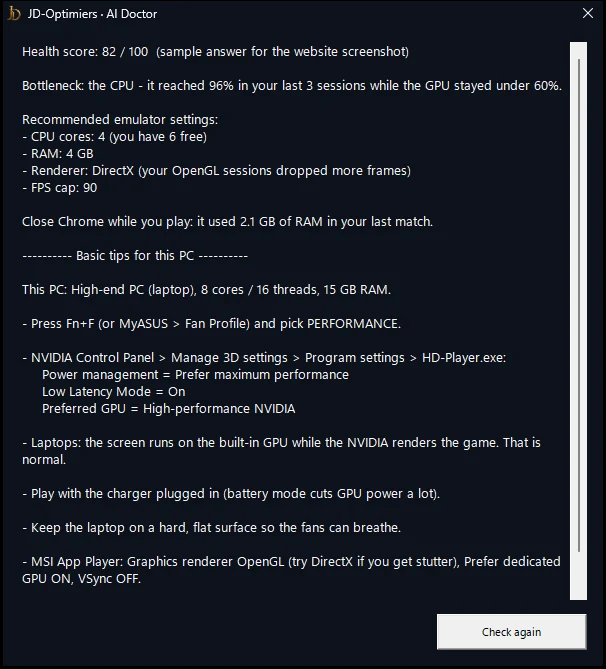
Press AI Doctor in the app to check a PC - its score and advice show here. Up to 2 PCs at a time and 4 new links per 30 days. Linking a third unlinks the oldest. Unlink a PC you no longer use, or if you didn't link it.
Good to know.
Will it get my game account banned?
JD Frag Engine only changes Windows and the emulator's own settings — the same things you could change by hand, always with a backup. It never touches the game's memory, never injects anything and adds no macros or aim assist. Everything can be undone with “Restore all”.
Does it work on a weak PC or laptop?
Yes. It reads your hardware and tunes itself — strong PCs get the full treatment, weak PCs get Potato mode (lowest graphics, highest FPS). Any Windows 10/11 PC or laptop.
Can I use it for games other than Free Fire?
Yes. Add any game's .exe, or leave auto-detect on and any full-screen PC game is boosted automatically.
Is it for phones?
No — it's a Windows app for PCs and laptops running MSI App Player / BlueStacks (or PC games). Mobile players don't need it.
How do I pay?
With JD points (1 point = Rs 1). Load points on your wallet with eSewa, then buy a plan here.
How many PCs can I use?
Two at a time per account (up to 4 new links in 30 days). You link each PC once with a code — no password is typed into the app.
How do updates work?
Automatically. When a new version is posted, the app updates itself at start in a few seconds — the download is checked with SHA-256 before anything is replaced. It never updates mid-match.
Can I get a refund?
Points aren't refunded once a plan starts, except where the law requires it or the app never worked for you because of a fault on our side — see the JD Frag Engine terms.